Before you draw the finished art, decide where the pages will be read and which direction they read. Build panels and speech balloons around one clear reading path, prepare lines and tones for the final size, then export and proof one complete page before you make the chapter. Vertical-scroll Webtoons need a separate production workflow.
Choose your page's destination before you draw
A manga page is designed for the way it will be read. Printed pages must survive trimming and binding. Digital pages need lettering and fine details that stay legible on the screen they're read on.
| Destination | What shapes the layout | What must work at the end |
|---|---|---|
| Printed manga interior | Trim size, bleed, inside margin, book binding | A file the printer accepts, plus a physical proof |
| Page-based digital comic | Image dimensions, reader display, page sequence | Readable page at the expected viewing size |
| Vertical-scroll Webtoon | Long scrolling sequence, vertical pauses and reveals | Platform-specific episode layout and scroll preview |
A spread planned for a bound book can lose its effect when shown as separate phone-sized images. A Webtoon scene that builds suspense through scrolling needs its own vertical-scroll production workflow.
Choose the reading direction, too
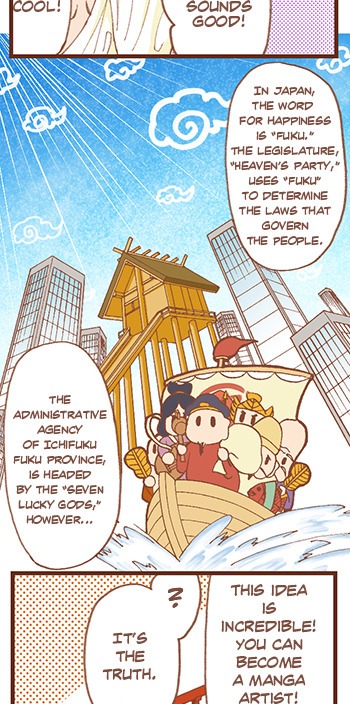
Japanese manga traditionally reads from right to left. Original English-language manga can follow that convention or run left to right. Panel order, balloon order, page order and your publishing route must all agree.
Binding adds its own constraint. Amazon KDP's paperback guidelines list right-to-left printing support for Japanese, Hebrew and Yiddish. An English-language manga planned for right-to-left binding needs a compatible publishing route. A page that looks right-to-left doesn't mean a provider will accept the finished book in that format.
Write a one-line project specification that names the print provider or digital reader, the left-to-right or right-to-left sequence, and whether the work uses pages or a vertical scroll. Keep it beside your manuscript while you work.
Set up trim, bleed, safe areas, and the working canvas
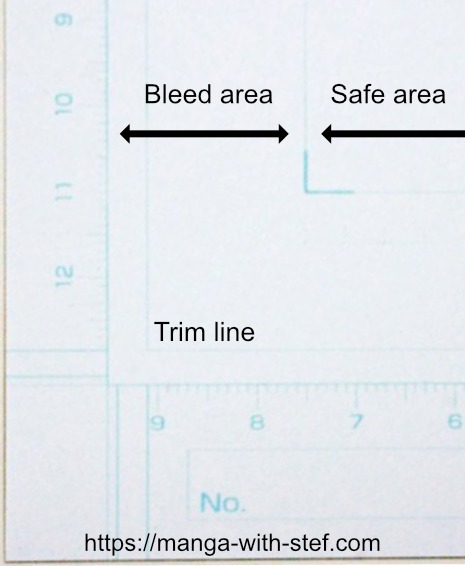
A printed manga page needs boundaries that each do a different job. The trim line marks the finished paper edge. Bleed extends background art past that edge to allow for small variations in cutting. The safe area protects essential dialogue and artwork. The inside margin leaves clearance where the book bends into its binding.
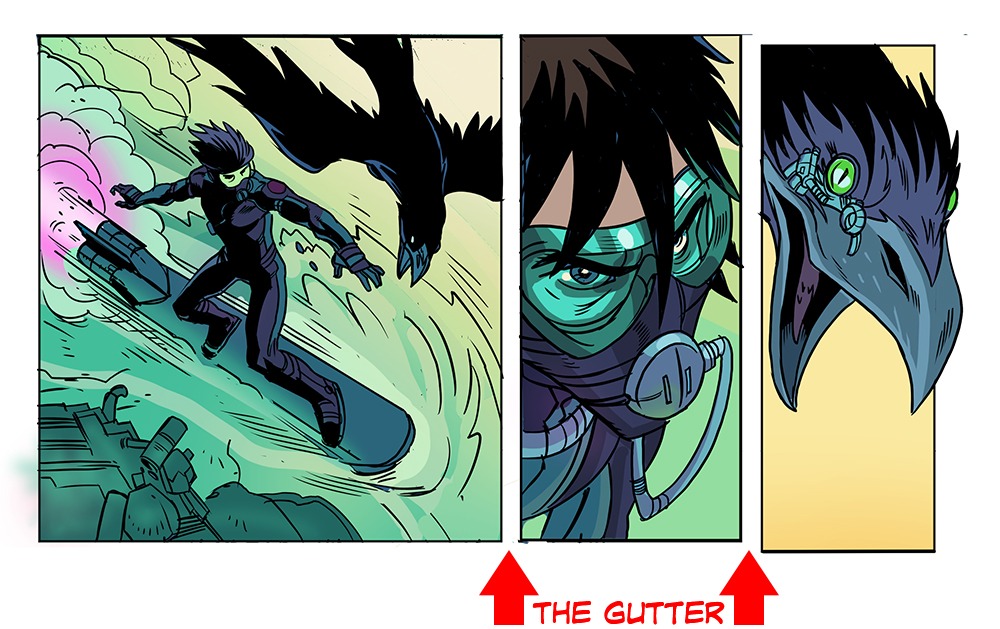
A panel gutter is the space between comic panels.
In a full-page drawing of a room, the wall color can extend into the bleed. A character's eyes and the words in a balloon belong inside the safe area. A panel border placed against the finished edge needs more care than a background meant to run off the page.
Two print-interior examples: KDP and IngramSpark
These dimensions come from two named print providers' interior-file guidance. Your own requirements depend on the product, page count, ink and trim size.
| Setting | Amazon KDP paperback interior | IngramSpark interior |
|---|---|---|
| Bleed beyond trim | 0.125 in (3.2 mm) at top, bottom and outside; none at binding edge | 0.125 in (about 3 mm) at top, bottom and outside; none at binding edge |
| Inside or safe margin | At least 0.375 in for 24 to 150 pages; 0.5 in for 151 to 300 pages; longer books use further tiers | Recommends at least 0.5 in from trim |
| Outside margin | At least 0.375 in with bleed; 0.25 in without bleed | Recommends at least 0.5 in from trim |
| Image resolution | At least 300 DPI for submitted images | Recommends 300 ppi |
| Bleed-interior PDF size | 0.25 in taller and 0.125 in wider than the selected trim size | Uses its specified bleed margins around selected trim |
The KDP figures come from its Paperback Submission Guidelines. The IngramSpark column follows its print-file requirements. Cover specifications are different.
IngramSpark's guidance notes that printed trimming may vary by 1/16 in. A balloon tail very close to the cut can become a problem even when it looks comfortably placed at full zoom.
Working resolution versus output resolution
Clip Studio Paint includes 600 and 1200 dpi choices for monochrome comic canvases. Those are working settings in the software. The output destination sets its own file requirements. Raising the DPI on an undersized raster image can't recreate lost line detail.
Monochrome comic art, continuous grayscale and color pages also call for different decisions about rendering and tones.
Compare the interior template for your destination with your actual page canvas, marking trim, bleed, safe area and inside margin. For a purely digital page, use the output dimensions and viewing size. The page-size and bleed guide covers format-specific calculations.
Build the page in Thumbnails before final art
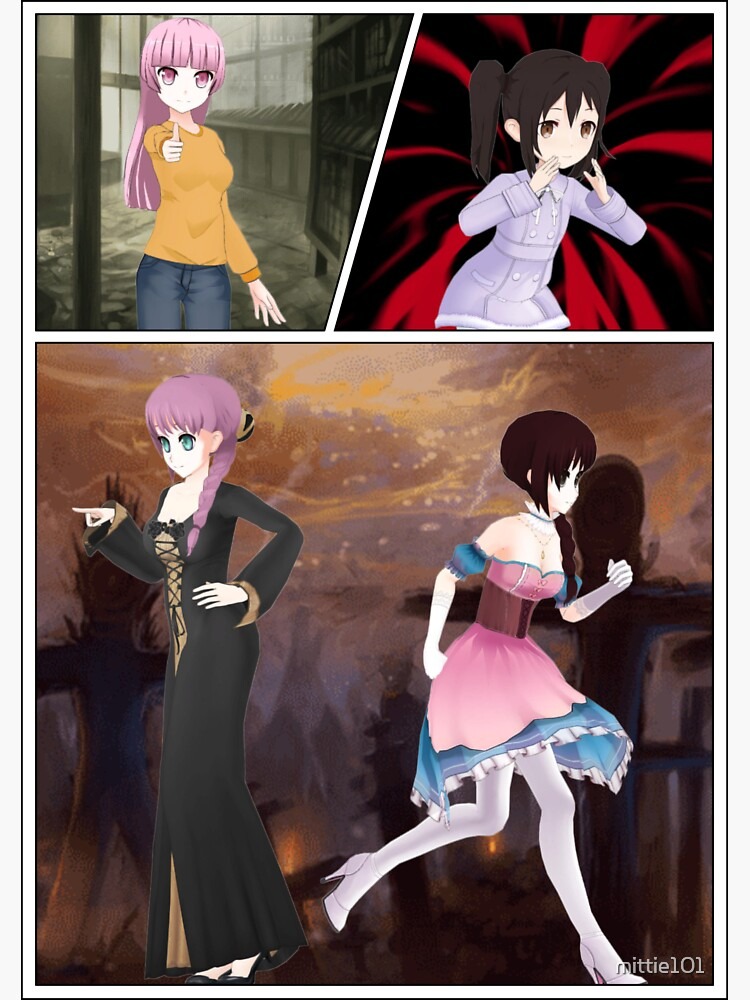
Thumbnails let you decide where a scene's weight falls while the drawings are still small enough to rearrange. A thumbnail is a rough view of the entire page with figures, action and balloon space. In manga production, an early storyboard is called a name (ネーム).
A creator seeking paneling advice in a January 2026 r/Mangamakers discussion wrote, "I've been having trouble deciding where I should put my panels and how to lie them out." The simplest way to make that choice concrete is to keep the story fixed and change how much space each beat gets.
One scene, three page designs
The fictional scene: a courier walks toward a closed door. A lock clicks, the door swings open, and somebody inside says, "You're early." The courier freezes. Here the reader moves from left to right and then down the page.
- Even rhythm: Three panels of similar width run across the page: approach at left, opening door in the middle, reaction at right. Each beat gets comparable space.
- Reveal first: Two small panels sit across the top, approach at left and click at right. One wide panel below shows the door opening and reserves a clear balloon area. The opening becomes the largest image. The courier's reaction becomes the first beat on the following page.
- Reaction first: One shallow panel across the top contains the approach and click. A narrow opening-door panel sits at lower left, and a broad reaction panel at lower right gives the courier's face the most space.
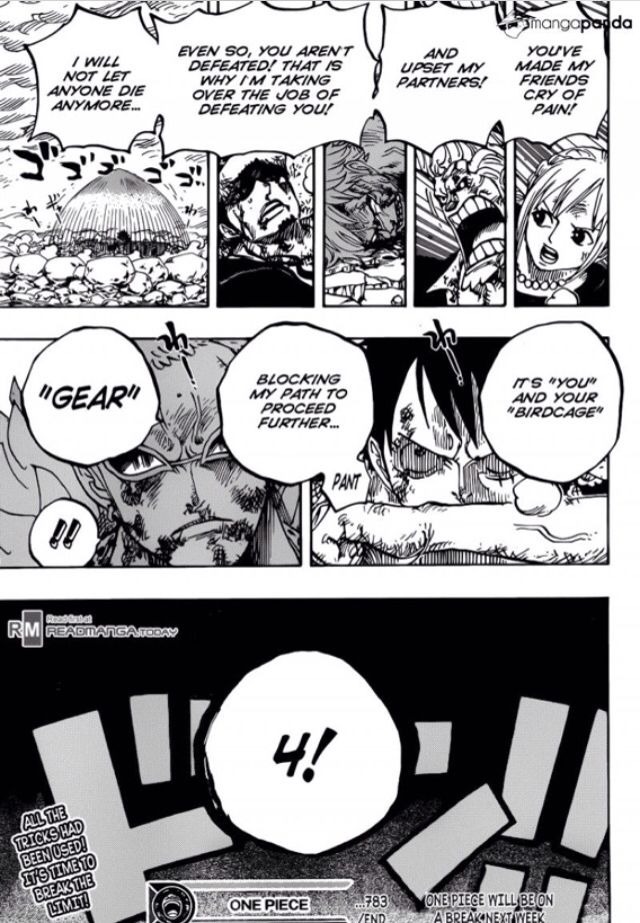
If the opening door is the turning point, choose the second thumbnail. If the courier's shock is the point of the scene, the third gives that expression more room.
Draw three small versions of your own scene, keep the action and dialogue the same, and sketch rough balloon shapes in the available space. Pick the version that puts the emphasis where you want it. For more compositions, see manga panel layout and pacing.
Make the panel order clear at a glance
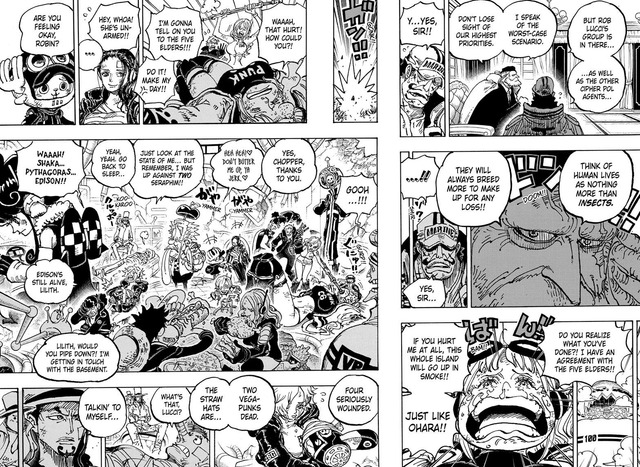
A clear page leads the reader from panel to panel through spacing, alignment and visual cues. Reading direction sets the convention. Panel shapes and spacing decide whether each move looks natural at every junction.
In r/Mangamakers, a creator reviewing a page from Nebo the Roleplayer wrote, "I was looking over the page and thinking that the first jump from panel 1 to 2 may be a bit messy." A reader faced with two equally plausible next panels has to stop and choose.
Fix one ambiguous transition
In the reveal-first thumbnail from the left-to-right courier scene, panel 1 is the small upper-left approach, panel 2 is the small upper-right click, and panel 3 is the full-width opening door below. The reading order is 1, 2, 3, and the two quick setup beats come before the larger reveal.
In a flawed version, panel 2 hangs lower beside panel 1 while the large door panel begins high on the right. The open spaces can make the door look like it follows panel 1 directly. Align the top-row panels and put a clear separation between their shared bottom edge and the wide reveal. In the corrected version, the reader finishes the top row before moving down.
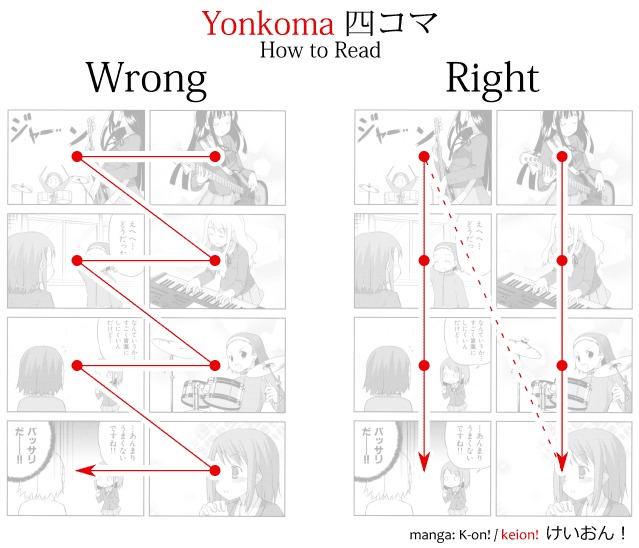
Comic-navigation research backs up this attention to spatial relationships. In 2013, Neil Cohn found that panel arrangements could lead readers through layouts in ways that depart from simple row ordering. The panels in that experiment had no narrative content, so the result applies to how layouts lead the eye in general.
In two experiments published in 2023, Kirtley, Murray, Vaughan and Tatler found that comic-page navigation depends on panel structure and text position, particularly where layout choices are ambiguous. Their work also explains why balloon placement needs attention once the panel layout is clear.
Show a panel-only version to someone who hasn't seen the plan and ask them to number the order they would read it. The first place their numbering departs from yours is the transition to adjust. For more complicated layouts, see the manga reading-order guide.
Put speech balloons on the reading path
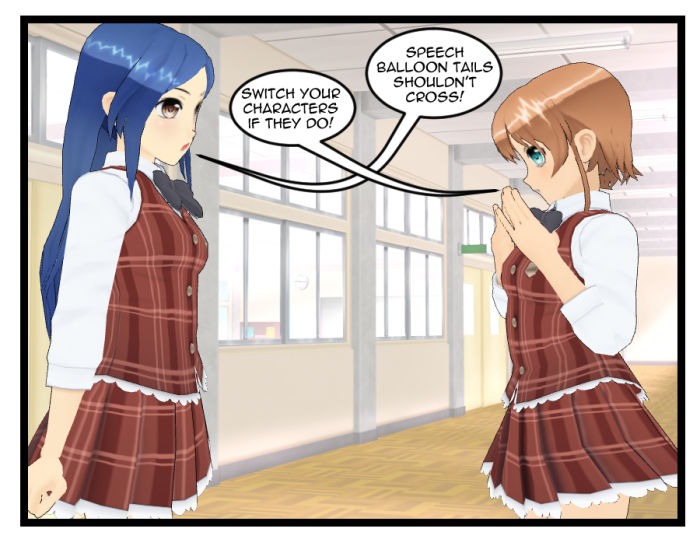
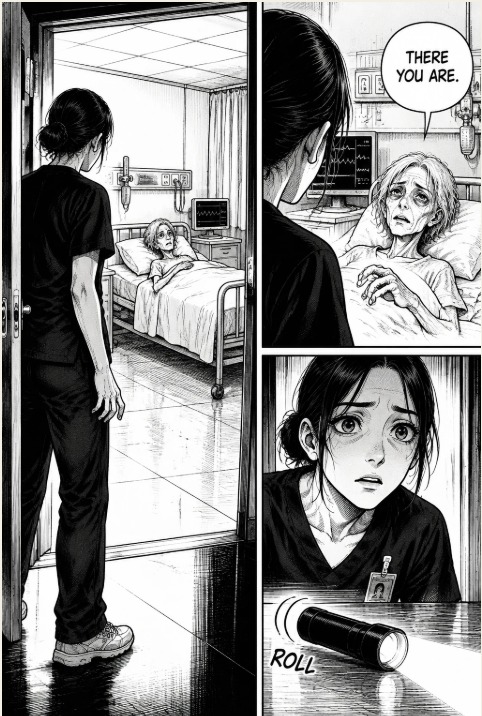
Reserve room for dialogue while the panels are still editable. Arrange the balloons in your reading direction, and make each tail point clearly at its speaker.
In the courier scene, a balloon covering the startled eyes weakens the reaction. A crowded exchange needs a quieter drawing or a larger panel. Unusual placement can serve a deliberate effect as long as readers can still follow the words.
At reading size, follow each balloon in sequence and look at letter clarity, tails and any covered action. The lettering and speech-balloon guide covers the detailed techniques.
Ink and tone the page for its final size
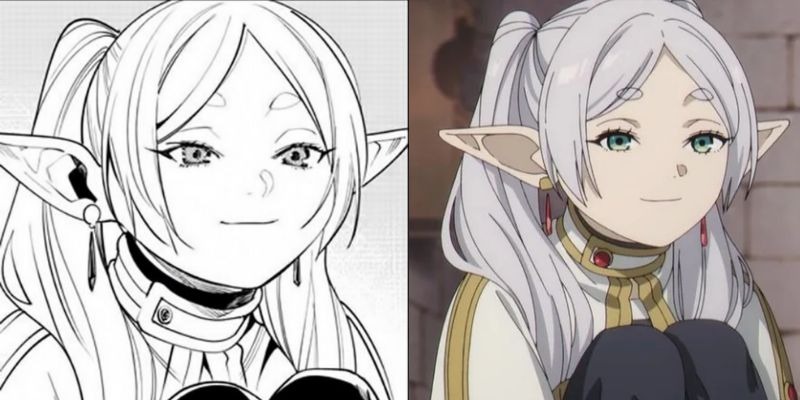
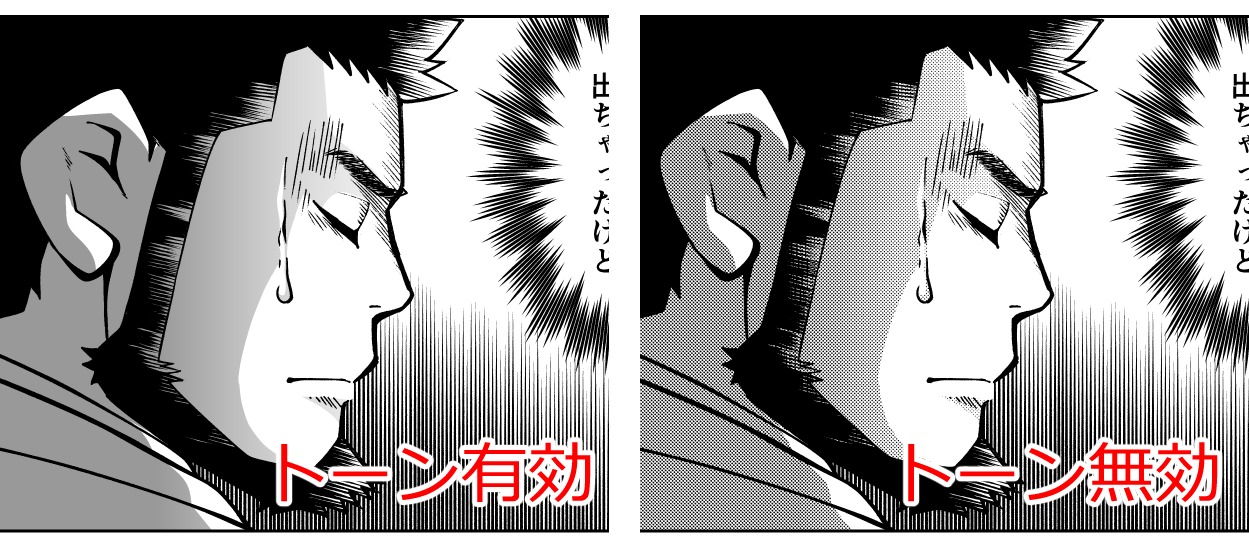
Inking gives a page its finished linework. Grayscale shading uses continuous values, while screentones create tones through screened patterns. Their visual weight decides whether an important gesture stands apart from the background.
A creator discussing crowded page design on r/MangakaStudio in July 2026 wrote, "I feel like my pages look a bit cluttered and my workflow is too slow because I used too many different greyscale tones." The courier scene shows the same tension if a patterned wall, shaded coat and dense doorway all demand equal attention.
A version with fewer competing dark shapes keeps the opening door and the courier's eyes clear. A version with many tonal textures suits a different scene. Choose by what the image needs readers to see.
When screentones produce moiré
Moiré is an unintended repeating or interference pattern that appears when screened tones interact with resampling, other screened layers or print reproduction. Clip Studio's manga-manuscript guidance describes problems caused by resizing rasterized dot tones and overlapping screens whose frequencies or angles interfere. Moiré has several causes, and a higher DPI setting alone won't fix it.
KDP's manga/comic troubleshooting guidance recommends at least 600 DPI for images to help prevent moiré. Its general paperback submission minimum is 300 DPI, so the two figures serve different purposes.
A creator examining a first printed manga copy in r/MangakaStudio asked, "How can i fix the moire effect when printing my manga?"
A drawing with high-resolution linework can lose detail when it is reduced to its final physical dimensions, and an exported image can keep its DPI number while its patterns reproduce badly. Inspect a line-and-tone sample at the size it will actually be reproduced. Look for merged fine strokes, patterns that form unintended waves, and heavy backgrounds that bury the focal action. The inking and screentones guide covers detailed layer techniques.
Export the file your destination accepts
Your finished artwork lives in an editable working document, and the destination receives an exported file. A printed book also needs the interior and cover prepared as separate files that follow the provider's rules.
Paperback interior requirements
| Check | Amazon KDP paperback | IngramSpark interior |
|---|---|---|
| Interior file | PDF required when the interior has bleed; other formats may qualify without bleed | One complete interior PDF, separate from cover |
| Page arrangement | Single pages, no 2-up spreads | Single pages, 1-up |
| Fonts | Embedded; minimum 7 pt | Embed fonts |
| Images | Minimum 300 DPI; 600 DPI recommended upper level for file performance | 300 ppi recommended |
| Crop / registration marks | Omit from the submitted interior | Omit from the submitted interior |
| Other file constraints | 650 MB maximum; flatten transparency or layers as specified | Deliver the complete interior as a single file |
The 7-point KDP font minimum is a submission floor. Judge manga lettering at the size readers will see. KDP's general paperback minimum is 24 pages, but some combinations of trim and ink require more pages. Export a single page to check production quality before you prepare a complete book.
Check the exported file
Open the exported PDF or image and compare its dimensions, fonts, image resolution and file size with the tables above. Then confirm the accepted format and complete page order, and scroll through every page for crop or registration marks, transparency effects, missing art, displaced lettering and rendering defects.
Proof one finished page before making the chapter
A finished page can pass a file check and still confuse a reader or print badly. Proof it under the conditions where readers will see it: a physical printed copy for print, or the expected device and reader for page-based digital delivery.
In print, look for words near the binding, cropped edge details, lost fine lines and unintended patterns in tones. Digital pages bring different problems: a balloon that is easy to read on a large monitor can be uncomfortable on the actual viewing screen. KDP's manuscript preview tools identify formatting problems. Whether the finished sequence reads well is a separate test, and only a reader can run it.

A courier page can have technically correct PDF dimensions and a balloon placed too close to the bound edge. A proof exposes the cramped lettering. A skipped panel points to reading order. Dialogue that sends the eye backward points to balloon placement. Muddy tones mean the artwork reproduced badly.
A proof covers that page on that output setup, and a whole book or a later print run can come out differently. Hand one complete exported page to a fresh reader with no explanation and record the first confusing transition or reproduction fault.