For manga going to print, pick your printer and one of its supported trim sizes first. Then set that printer’s bleed, safe margins, binding clearance, and artwork resolution before you export a test page. If you haven’t picked a printer yet, keep a layered, high-resolution master. Once you choose one, compare your working file with its template and review a proof.
Choose the printer and finished manga page size

The size on a book specification is the trim size: the page after cutting. Your drawing canvas can be larger, and a file prepared with bleed extends past the finished page. Start with the finished book.
PrintNinja identifies 5 × 7.5 inches as a conventional size for American manga editions. KDP’s published paperback options include 5 × 8, 5.06 × 7.81, 5.25 × 8, 5.5 × 8.5, and 6 × 9 inches. KDP’s list has no 5 × 7.5 size, so a familiar manga format needs a printer that offers it.
One creator planning a paperback put the worry plainly on r/MangakaStudio: “I just don't want to end up having to resize all my pages to fit a standard down the line.” Changing the proportions of a finished series alters dialogue placement and panel composition across many pages.
Before you build a long manuscript, pick the printer or publisher and one finished interior-page size from its supported choices. Also decide how you’ll print: a print-on-demand paperback, a specialty manga printer, or a publisher’s manuscript submission.
Settle the binding direction early, because not every service can make a right-to-left book. KDP’s paperback submission guidelines list Japanese, Hebrew, and Yiddish for right-to-left paperback printing. English isn’t on that list, so an English-language manga that opens from the right needs a service that supports that binding and reading order. PrintNinja describes reverse-order manga binding, which is why page sequencing and binding belong in the printer’s production specification.
Understand the trim, bleed, and safe-area lines
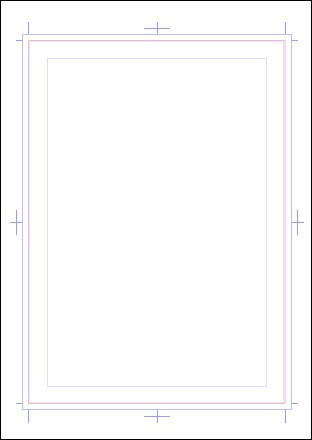
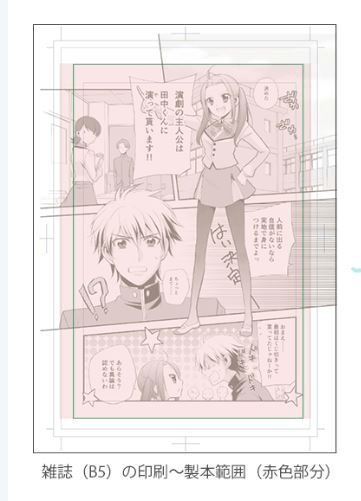
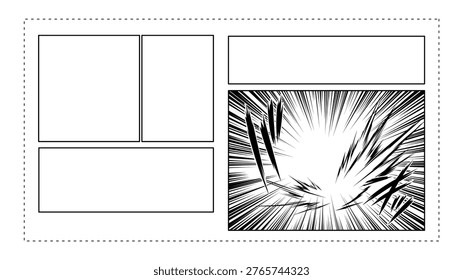
The nested rectangles on a manga manuscript mark different boundaries:
- Working canvas: The editable document with your art and manuscript guides. It can be larger than the finished page.
- Bleed edge: The outer boundary a full-bleed background extends to.
- Trim line: The edge of the page after cutting.
- Safe area: Space inside the cut where dialogue, faces, and other critical details stay legible.
- Basic frame or inner border: A manga layout guide for ordinary panel placement. Its position can differ from the printer’s required safe margin.
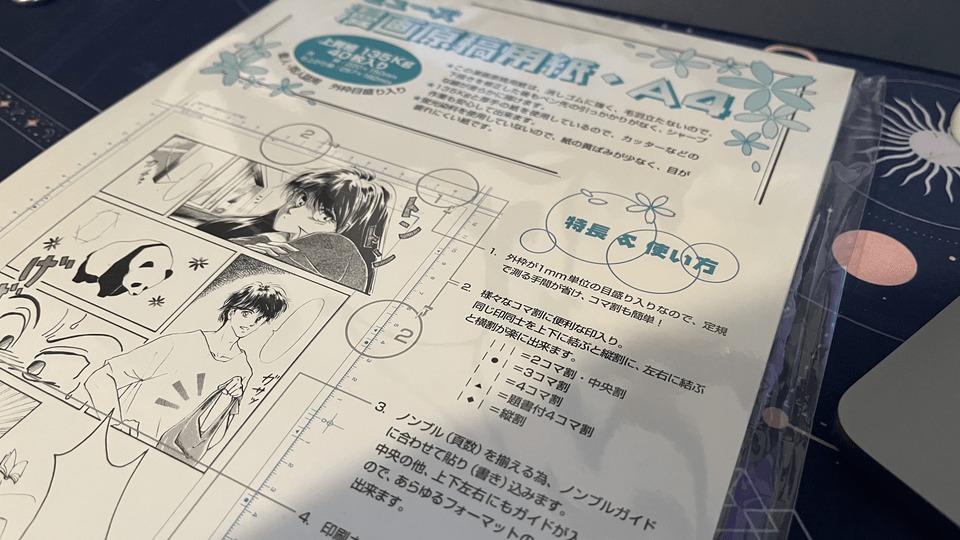
An ibisPaint creator using an A4 manga template at 600 dpi wrote on r/MangakaStudio: “... my head refuses to understand how they work, where should I draw etc.”
A solid black background runs through the trim line and out to the bleed edge. A speech balloon placed over it stays inside the safe area, clear of the cut.
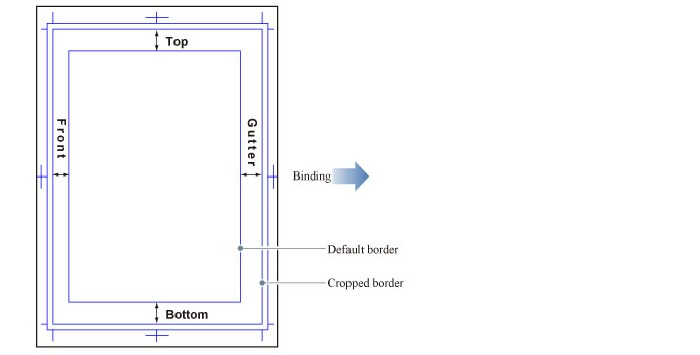
Clip Studio Paint and MediBang Paint document manga-specific guides. Each app arranges and labels them differently. In your own template, label each line by where it sits and what it does.
A binding gutter is clearance toward the book’s spine. The white space between two comic panels is also called a gutter, but that’s a separate layout measurement.
Calculate the full-bleed page size for KDP or Lulu
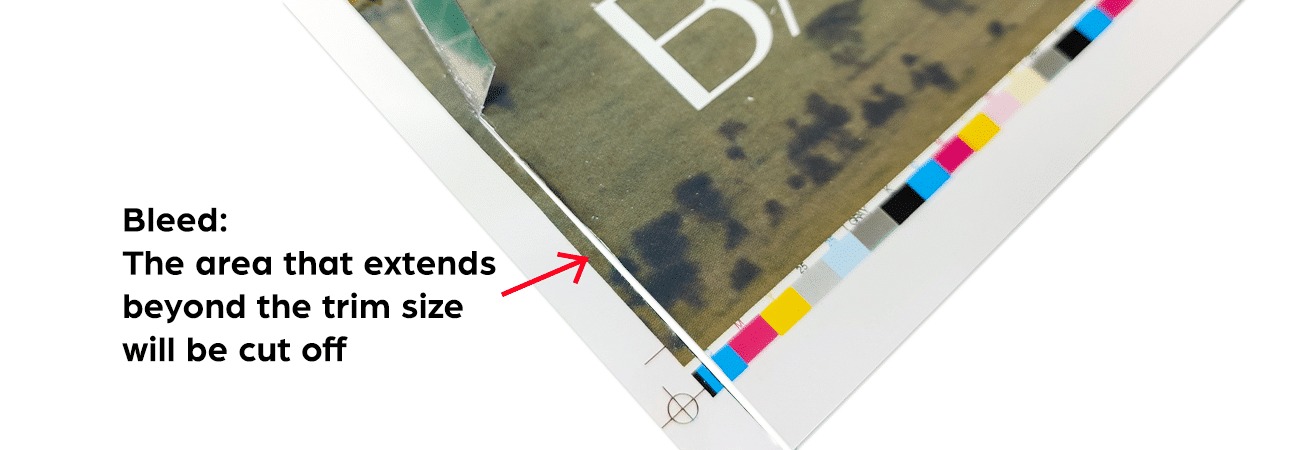
A 6 × 9-inch paperback needs different interior PDF widths at KDP and Lulu because the two services place bleed differently.
Under KDP’s trim and bleed specifications, a full-bleed paperback interior adds 0.125 inch at the outside edge and 0.125 inch at both top and bottom. Lulu’s full-bleed instructions add 0.125 inch to each of the four edges.
| Printer | Finished trim | Bleed placement | Interior PDF page |
|---|---|---|---|
| KDP paperback, full bleed | 6 × 9 in | Outside, top, bottom: 0.125 in each | 6.125 × 9.25 in |
| Lulu interior | 6 × 9 in | All four edges: 0.125 in each | 6.25 × 9.25 in |
| KDP paperback, full bleed | 5 × 8 in | Outside, top, bottom: 0.125 in each | 5.125 × 8.25 in |
For KDP full-bleed paperbacks, add 0.125 inch to the finished width and 0.25 inch to the height. For Lulu, add 0.25 inch to each finished dimension.
KDP uses the chosen trim size for interiors without bleed and its enlarged PDF dimensions for interiors with bleed. Lulu asks for bleed-sized interior PDF pages even when no illustration reaches the cut, so even a manga with white-bordered panels needs them there.
One full-bleed splash page in a KDP paperback means the whole interior must use KDP’s full-bleed page dimensions.
Wherever you want a full-bleed effect, the background art must reach the bleed boundary.
Set up a manga canvas in your drawing software
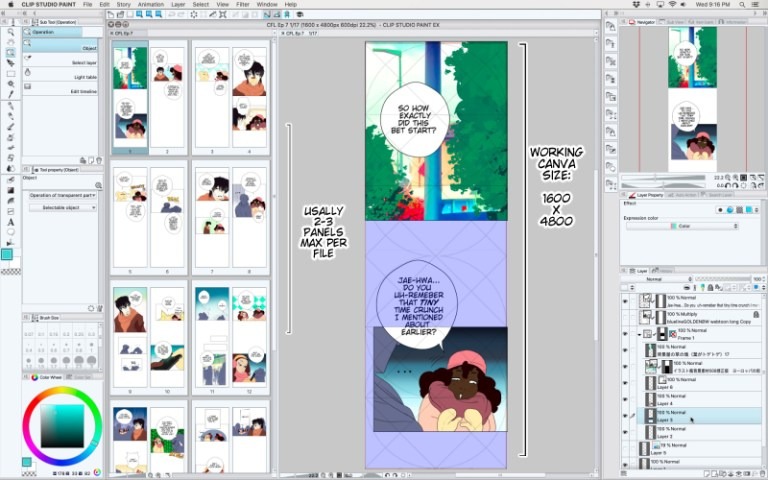
Clip Studio Paint and MediBang Paint offer manga-oriented document controls, including manuscript borders, trim, and bleed.
A Krita user on r/Mangamakers was puzzled by the size: “I've seen the A4 for B5 stuff but I'm not quite sure I understand what's going on, and it looks way too tiny.” In a larger-sheet workflow, the canvas includes room outside the finished-page and basic-frame guides, so the panel area looks smaller than the whole document.
In your chosen editor, set the trim, bleed, and resolution from your printer’s specifications. Then save an editable master with the original artwork and lettering layers.
Keep important art clear of the trim and spine
Decorative artwork can run past the trim into bleed. Dialogue balloons, faces, and essential sound effects need enough clearance to survive cutting and binding.
KDP specifies a minimum of 0.25 inch at the outside, top, and bottom for no-bleed interiors, increasing to 0.375 inch for bleed interiors. Give small captions and key expressions more room than that.
KDP’s inside margin grows with page count:
| KDP paperback page count | Minimum inside margin |
|---|---|
| 24 to 150 | 0.375 in |
| 151 to 300 | 0.5 in |
| 301 to 500 | 0.625 in |
| 501 to 700 | 0.75 in |
| 701 to 828 | 0.875 in |
A 120-page KDP paperback falls in the first band. A 200-page book needs the larger minimum in the second band.
Lulu’s safety guidance puts critical content 0.5 inch inside the trim, plus extra binding clearance.
On a panel with an ink-black background that reaches the outer cut, the caption often has to sit farther inward, especially near the spine. In a right-to-left book, the inside edge changes with page position and binding. It isn’t the left side of every page.
Measure every word, face, and sound effect near an edge against your printer’s safety and binding guides. Start with anything whose loss would change the meaning of the scene.
Choose 300 or 600 DPI from the actual pixel count
Print detail in a raster image depends on how many pixels you have at the size you print. To get an edge in pixels, multiply its length in inches by its effective pixels per inch (PPI).
300 PPI is the usual baseline, and KDP’s minimum image-resolution guidance reflects it. Clip Studio guidance documents a 600-dpi monochrome manga workflow, particularly for fine linework and dot tones.
Here’s an example: a 5 × 7.5-inch trim with 0.125-inch bleed on all four sides. Its full-raster document spans 5.25 × 7.75 inches.
| Raster page | Physical size | Effective PPI | Pixel dimensions |
|---|---|---|---|
| Four-edge bleed example | 5.25 × 7.75 in | 300 | 1,575 × 2,325 px |
| Same example, finer grid | 5.25 × 7.75 in | 600 | 3,150 × 4,650 px |
| KDP 6 × 9 full-bleed raster | 6.125 × 9.25 in | 600 | 3,675 × 5,550 px |
| Lulu 6 × 9 full-bleed raster | 6.25 × 9.25 in | 600 | 3,750 × 5,550 px |
A resolution label alone changes nothing. Without resampling, the pixel count stays the same. Resampling adds or removes pixel samples, but line detail missing from the original stays missing. Adobe’s printed-image resolution guidance explains the distinction.
For an existing image, divide the pixel width by the printed width in inches, then do the same for the height. Compare those effective PPI values with your printer’s requirements. If the detail falls short, go back to a higher-detail source or your editable layers and export again.
Export a print PDF and inspect its page size
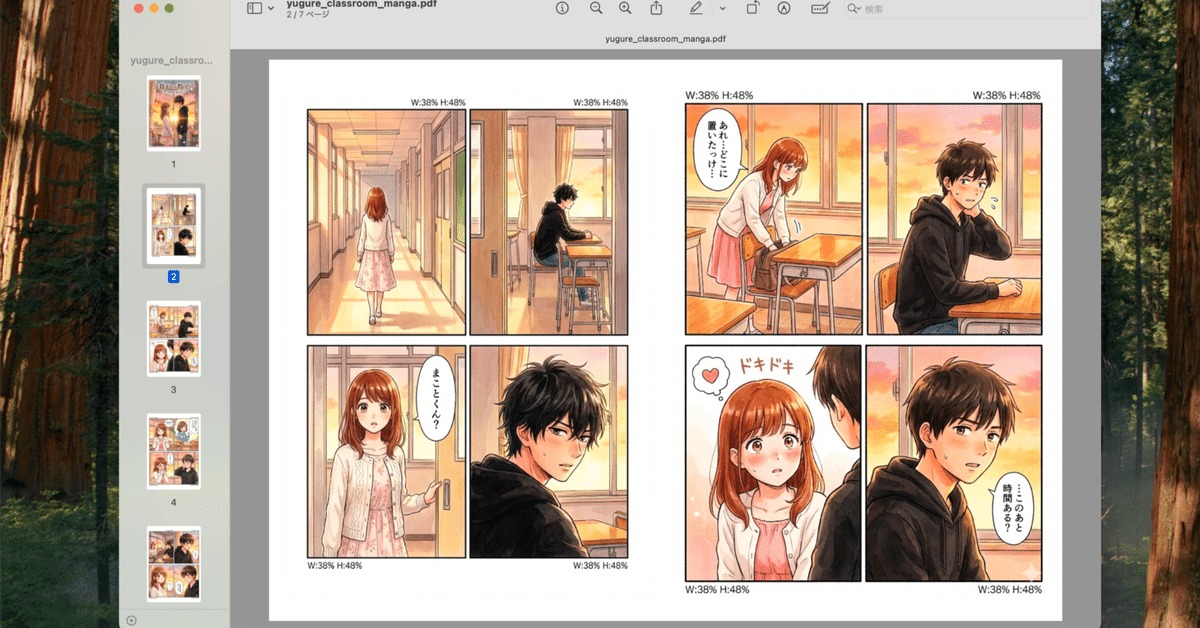
A file can look centered on screen and still have the wrong physical PDF dimensions. Test one page first. Export one interior page or a short test range.
Open that PDF in a viewer that reports page dimensions. Its width and height should match your calculation for the trim size you picked.
KDP requires a PDF for paperback interiors containing bleed and tells authors to submit single pages without crop or trim marks. It also requires fonts and images to be embedded in the native manuscript files before submission. Lulu likewise specifies a single-page interior PDF, consistent page dimensions and orientation, and no crop or registration marks. Submit the interior pages separately from the cover-wrap file.
Diagnose white edges, clipped details, or moiré
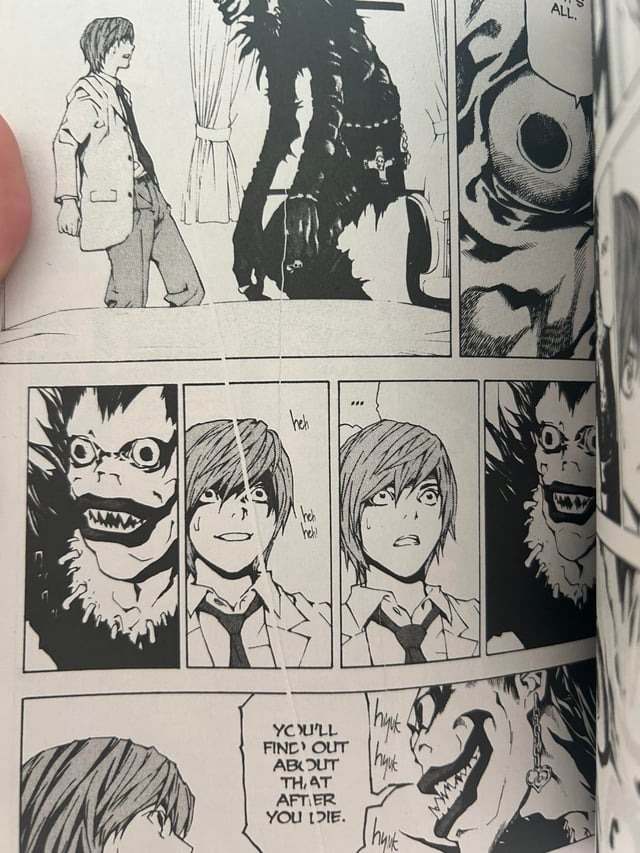
White paper at the edge, cut-off dialogue, and wavering screentones have different causes.
On r/MangakaStudio, a creator checking a printed manga asked: “How can i fix the moire effect when printing my manga? Some pages look ok and some have this weird texture to them.” Three things can cause it. They are tone-dot spacing, image resizing, and print processing.
| What you see | Inspect | Fix |
|---|---|---|
| White sliver at a cut edge | Background ends before required bleed | Extend the original art and export again |
| Clipped speech or essential detail | Content lies too close to trim or spine | Move the detail inside the safety region |
| Ripples or strange texture in tones | Dot pattern altered by scaling or output | Revisit tone size and export handling |
| Soft or enlarged ink lines | Effective PPI at the intended print size | Use a higher-detail source for the print file |
Order a proof before printing the whole manga
A physical proof shows how ink, cutting, and binding behave at the size your reader will hold. Look at four things in the bound copy:
- Cut edges: Backgrounds reach the page edge without stray white slivers.
- Spine readability: Words and essential details stay visible as the book opens.
- Ink and tone detail: Fine strokes and dot patterns reproduce at their intended reading size.
- Page handling: Reading direction, sequence, and physical binding suit your book.